Print Barcodes
Print Barcodes For Your SEOM Inventory and Your Warehouse Shelf Locations
In order to take full advantage of our Barcoders.com RFWarehouse for Stone Edge
solution, you need to have all your inventory items (SKUs) barcoded, as
well as all your warehouse shelf locations.
Most of our potential customers already have a large portion of their inventory
barcoded by way of the fact that they purchase prepackaged items with UPCs and/or
EANs from national vendors. The challenge is, how do you barcode the remaining
SKUs and your warehouse shelves?
Barcoders.com now offers the complete mobile cart solution listed below for $995
specifically for our RFWarehouse for Stone Edge users.
Here's a brief overview:
Hardware we provide:
- Mobile cart (assembly required)
- Container with lid for Group 27 heavy duty marine battery (battery NOT included - see below)
- Battery Cables
- 12 VDC to 120 VAC, 800 watt continuous power inverter
- Trickle charger (for overnight charging)
- Zebra TLP2844 thermal transfer barcode printer with power supply (reconditioned)
- USB cable for Zebra printer
- One roll of 2.25" wide x 1" high labels for the Zebra printer
- One high quality ribbon for the Zebra printer
Software we provide:
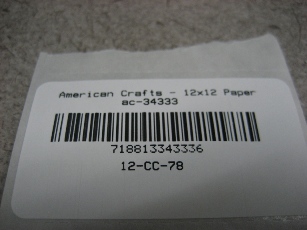
- PortaPrint, produces the SKU labels shown below from your Stone Edge database. (WIFI connection needed - ask for details)
- Shelf Label Print, produces the shelf labels one at a time shown below
- Shelf Label Print File, produces shelf labels from a CSV file
Items you must provide:
- Laptop running Windows XP or Windows 7 with USB port available and WIFI connection to network if using PortaPrint
- Group 27 heavy duty 12 volt marine battery. (AutoZone, Pep Boys, etc.)
Mobile Cart Printer:

Sample SKU Label:
Sample Shelf Label:
